Website Builder Mode
Convert Designs into Odoo Website Modules
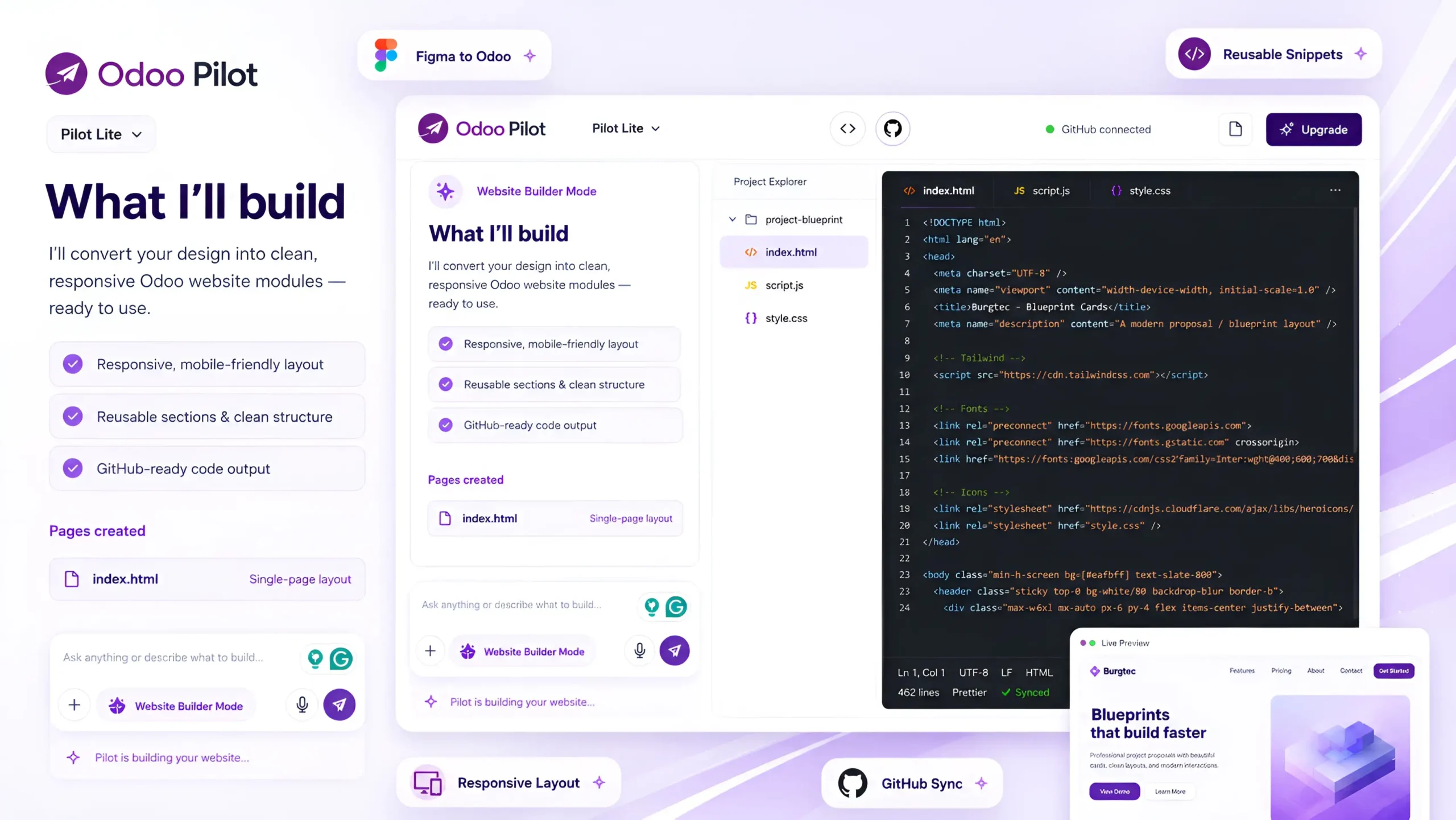
Website Builder Mode turns Figma designs, screenshots, mockups, or reference pages into clean, reusable, and deployment-ready Odoo website modules. It follows Odoo website standards, generates templates, snippets, assets, responsive layouts, and allows users to preview, refine, download, or push the code to GitHub.
Demo
See Website Builder Mode in Action
Watch how Odoo Pilot transforms a Figma design or approved website mockup into a structured Odoo website module. Generate responsive pages, a Figma design or approved website mockup into a structured Odoo website module. Generate responsive pages, reusable snippets, templates, styles, and assets, then review, reusable snippets, templates, styles, and assets, then review, refine, and push the completed code to your connected GitHub repository.
A complete video is coming soon...
Thank you for your patience
What Website Development Mode Helps You Do

Upload Website Designs
Upload Figma designs, screenshots, mockups, brand assets, or reference website pages.
Analyze Design Structure
AI understands layout, sections, spacing, typography, colors, images, buttons, and responsive behavior.
Generate Odoo Website Module
Create a complete Odoo website module with templates, snippets, assets, menus, and page structure.
Build Reusable Snippets
Convert design sections into reusable Odoo website snippets that can be edited and reused.
Preview & Refine
Review the generated website output, request changes, and improve the design before finalizing.
Push or Download Code
Push the final website module to GitHub or download it for installation in your Odoo environment.
Complete Website Module Generation
Website Development Mode supports the full design-to-Odoo website development process.
- Figma design review
- Screenshot/mockup analysis
- Odoo website module generation
- Odoo templates creation
- Custom website snippets
- Reusable page sections
- Responsive layout handling
- Preview and refinement
- GitHub repository push
- Module download
- Installation guidance
- Static assets and images
GitHub / Repository Support
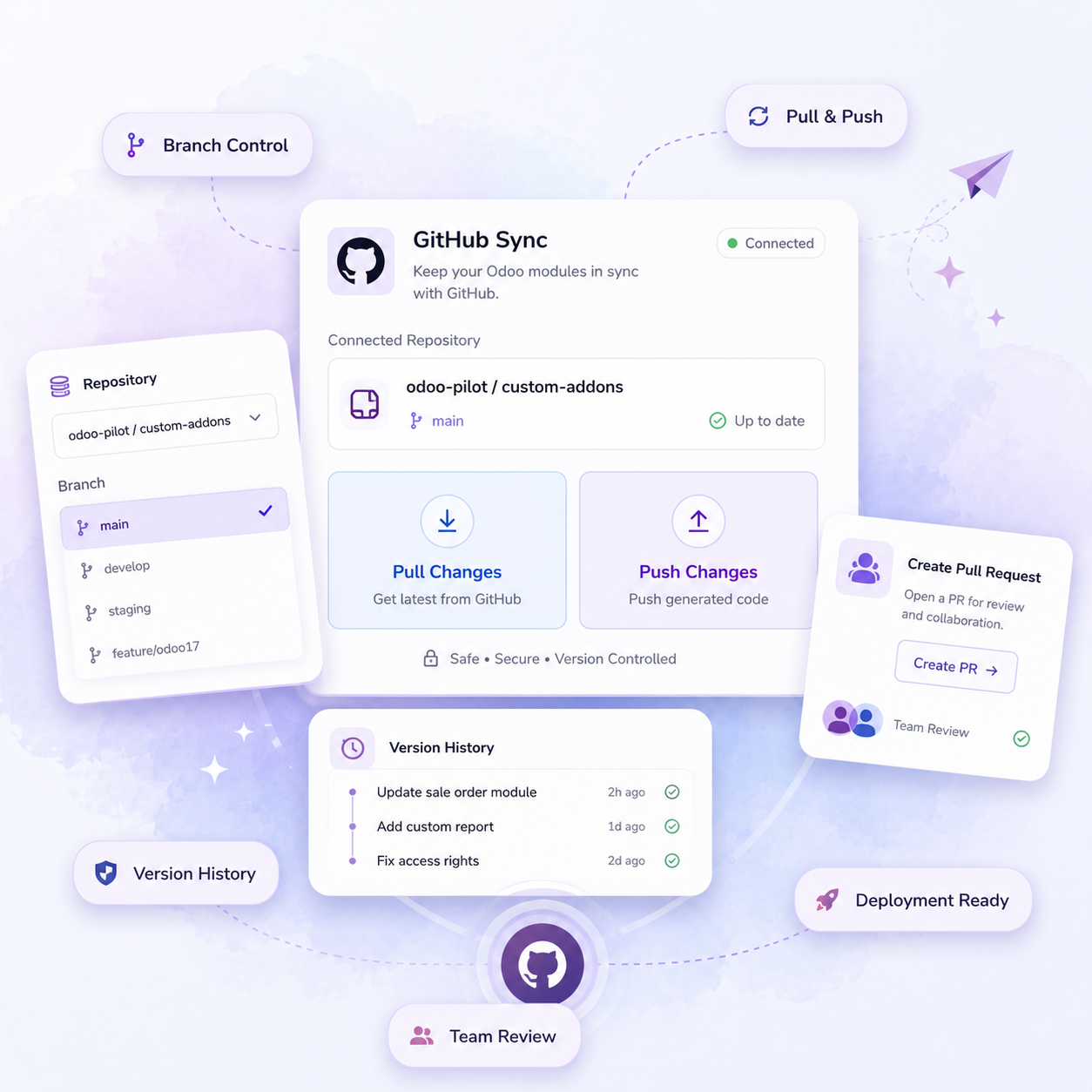
Users can connect GitHub or another repository, select a branch, push the generated website module, and manage website development through version control. This helps teams review changes, maintain history, and deploy the website module safely.
From Website Design to Odoo Website Module

AI Design Analysis
AI reviews the design and understands layout, colors, typography, spacing and sections.
Preview & Revisions
Preview the generated website, compare it with the original design, and request changes if needed.


Design Input
Upload Figma designs, screenshots, mockups, brand assets, page content, or reference websites.

Module Generation
AI generates the Odoo website module with templates, snippets, styles, assets, menus, and page structure.

GitHub or Download
Push the website module to GitHub/repository or download the complete module to your system.
Design Input
Upload Figma designs, screenshots, mockups, brand assets, page content, or reference websites.
AI Design Analysis
AI reviews the design and understands layout, colors, typography, spacing, sections, buttons, assets, and responsive behavior.
Module Generation
AI generates the Odoo website module with templates, snippets, styles, assets, menus, and page structure.
Preview & Revisions
Preview the generated website, compare it with the original design, and request changes if needed.

GitHub or Download
Push the website module to GitHub/repository or download the complete module to your system.
Trusted by Odoo Experts Who Deliver Faster
See how Odoo teams use AI to reduce manual work, speed up presales, and manage delivery with more confidence.
Frequently Asked Question
Website Builder converts your website requirements, reference design, or Figma layout into a structured Odoo website module. It can generate pages, reusable sections, templates, styling, assets, and the supporting code required for development.
Yes. You can provide a Figma design as the visual reference, and Odoo Pilot will use it to create the corresponding Odoo website layout, sections, styling, and responsive structure.
Website Builder can help create company websites, landing pages, service pages, campaign pages, product showcases, customer portals, and other custom Odoo website experiences based on your approved design and requirements.
Yes. You can review the generated result and request changes to the layout, styling, content sections, spacing, responsiveness, or individual components until the output matches your requirements.
Yes. Website Builder can generate reusable Odoo snippets, QWeb templates, page sections, styles, and assets so the website remains easier to manage, extend, and maintain inside Odoo.
Once the module is generated, you can review the files, push the code to your connected GitHub repository, and test it in a staging Odoo environment before deploying it to production.