
Module Builder Mode
Build Custom Odoo Modules with AI Guidance
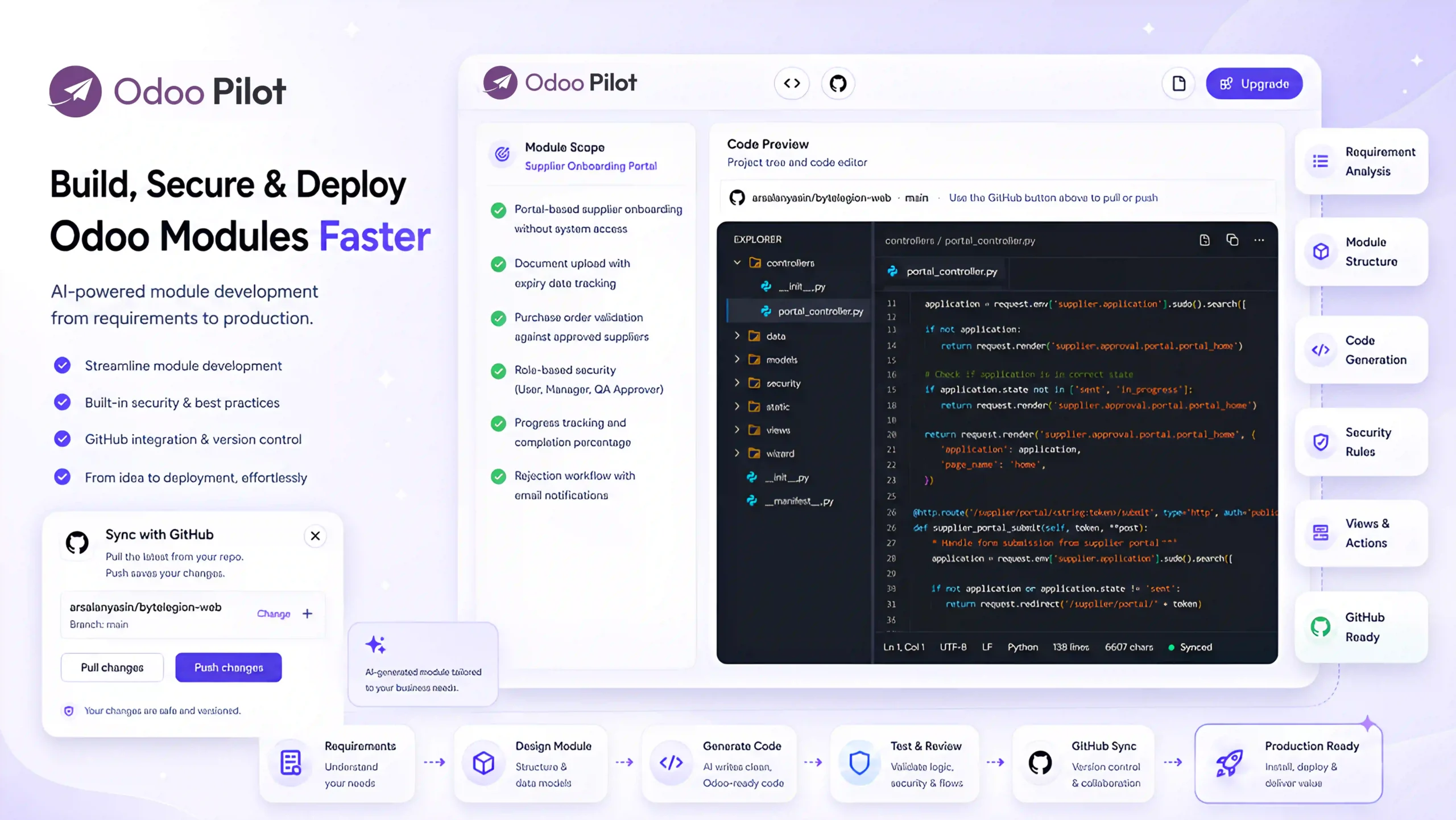
Turn approved requirements into complete Odoo modules with models, views, security rules, menus, business logic, reports, and GitHub-ready source code. Odoo Pilot helps you plan, generate, review, revise, test, and deploy custom modules faster.
Demo
See Module Builder Mode in Action
Watch how Odoo Pilot transforms approved requirements into a structured technical plan, generates a complete Odoo module, and refines the code through guided revisions. Review generated files, understand each change, and push the completed module directly to your connected GitHub repository.
A complete video is coming soon...
Thank you for your patience
What Module Builder Mode Helps You Do

Analyze Requirements
Understand the requirement and identify what needs to be developed before code generation.

Confirm Development Plan
Break the feature into development tasks before generating the module.

Generate Complete Module
Create Odoo module files including manifest, models, views, security, menus, actions, reports, and business logic.
Live Code Editor
View generated files inside the built-in code editor and understand what the AI created.
GitHub or Download
Push the module to GitHub or download the full source code for local testing and deployment.
Test & Deploy
Provide testing steps, support revisions, and prepare the approved module for live deployment.
Complete Module Development Execution
Module Development Mode supports the full lifecycle of custom Odoo module development.
- Requirement review
- Technical scope
- Development planning
- Technical task breakdown
- Models and business logic
- Workflows and automations
- API / integration components
- Reports and dashboards
- Code review and explanation
- Testing guidance
- GitHub / repository push
- Deployment and go-live support
- Module structure generation
- Views, menus and actions
- Access rights and security rules
- Clean code organization
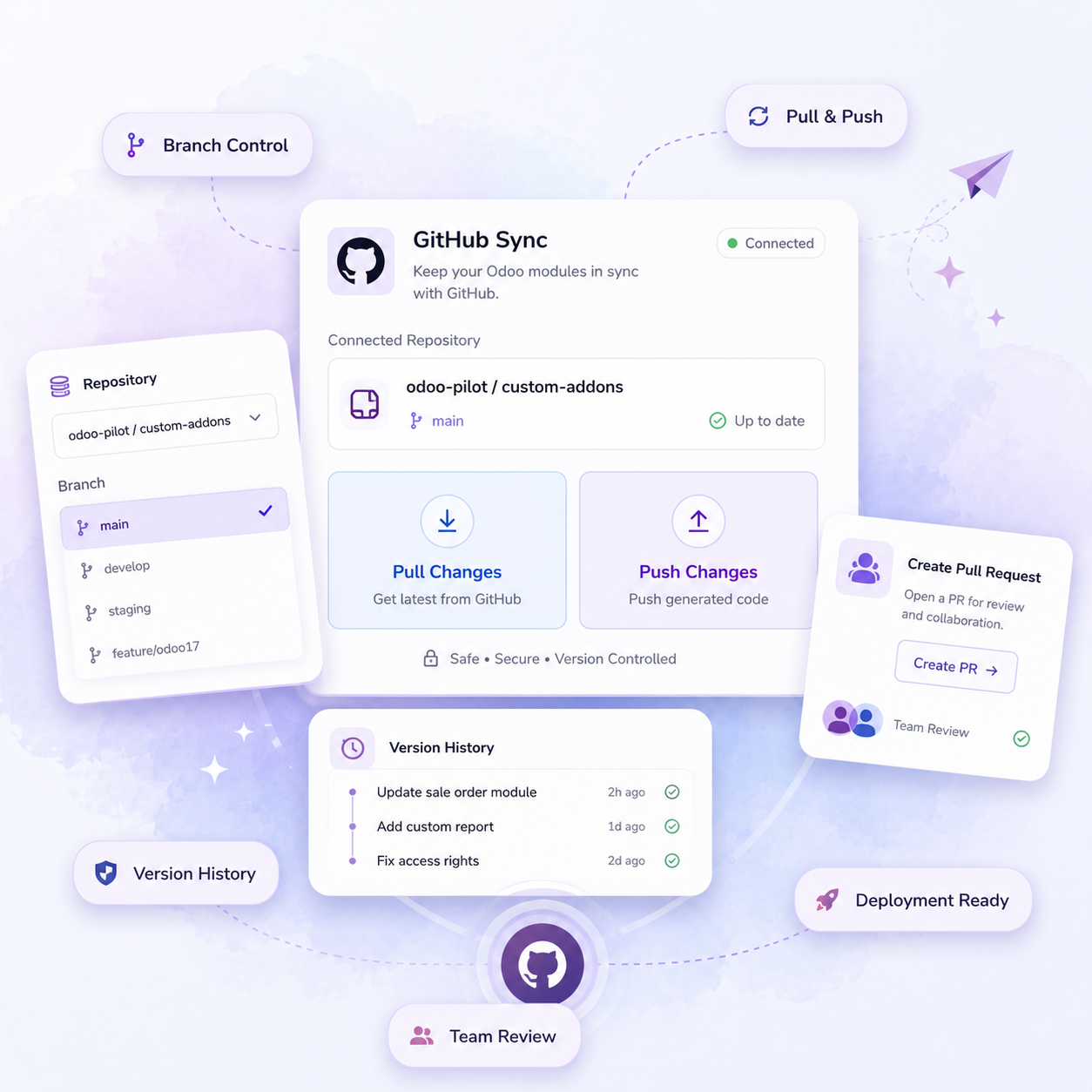
GitHub / Repository Support
Connect your repository, select a branch, and push generated Odoo module code directly to GitHub. This keeps your development workflow organized and helps your team review, test, and deploy changes safely.
From Requirement to Odoo Module

Technical Planning
Odoo Pilot identifies models, fields, views, workflows, access rules, and dependencies.
Code Review & Revisions
Review files, request changes, refine logic, and improve the module.


Requirement Input
Upload approved scope, user stories, screenshots, or technical notes.

Module Generation
AI creates the complete Odoo module structure and source code.

Test & Deliver
Get testing steps, download the module, or push it to GitHub for deployment.
Design Input
Upload Figma designs, screenshots, mockups, brand assets, page content, or reference websites.
AI Design Analysis
AI reviews the design and understands layout, colors, typography, spacing, sections, buttons, assets, and responsive behavior.
Module Generation
AI generates the Odoo website module with templates, snippets, styles, assets, menus, and page structure.
Preview & Revisions
Preview the generated website, compare it with the original design, and request changes if needed.
GitHub or Download
Push the website module to GitHub/repository or download the complete module to your system.
Trusted by Odoo Experts Who Deliver Faster
See how Odoo teams use AI to reduce manual work, speed up presales, and manage delivery with more confidence.
Frequently Asked Question
Module Builder is an AI-assisted development workspace that converts functional requirements into structured, installable Odoo module code. It helps generate the required models, views, security rules, business logic, reports, and supporting files.
It can build modules for new business workflows, custom fields and screens, approval processes, reports, automated actions, access controls, integrations, and extensions to standard Odoo applications such as Sales, CRM, Purchase, Inventory, Accounting, Manufacturing, and Projects.
No. Module Builder generates module-level source code within a controlled development workflow. The code can be reviewed, revised, tested, and pushed to GitHub before it is deployed to an Odoo environment.
Yes. You can inspect the generated files, request changes, refine individual features, and continue revising the module until it matches the approved requirements.
Yes. You can connect a GitHub repository to your project and push the generated module code directly to the selected repository for version control, team review, testing, and deployment.
Module Builder prepares a complete module structure and source code, but the module should still be reviewed and tested in a staging environment before production deployment. Compatibility may also depend on the Odoo version, installed applications, existing custom modules, and third-party dependencies.